How Pilates studios improve revenue using software
Discover how Pilates studios boost revenue through management software, streamlined bookings, and optimized memberships.
Running a Pilates studio is a little like running a tiny airline.
You’re selling seats that expire the moment class starts. If a spot goes empty at 6pm, you can’t “save it for tomorrow.”
And even when your instructors are incredible and your clients love you, revenue still ends up feeling… unpredictable. One week you’re packed, the next week you’re staring at half-filled reformers and wondering what changed.
That’s because studio revenue isn’t only about getting more clients. It’s about tightening the system around what you already have: making it easier for people to book, harder for them to forget, and more natural for them to keep coming back.
The best studios don’t just rely on great sessions, they build a smooth experience around those sessions. And that’s where software starts to matter, not as a “tech upgrade,” but as a revenue tool.
In this article, we’ll break down the most common revenue leaks Pilates studios face (empty spots, no-shows, admin overload, churn) and the specific ways software helps fix them.
You’ll also see how an all-in-one Pilates studio software like Rezerv can support those revenue levers with practical features like online booking, packages and memberships, automated reminders, reporting, and marketing tools, without turning your business into a complicated tech project.

Source: senivpetro on Freepik
The Pilates studio revenue bottlenecks (and why they’re so common)
Most Pilates studios don’t have a “marketing problem.” They have a bunch of small, everyday friction points that quietly chip away at revenue.
The tricky part is they don’t always look like revenue problems at first. They look like normal studio life: last-minute cancellations, clients DM-ing at midnight, a fully booked Monday but a sad-looking Thursday, and you spending way too much time doing admin instead of building the business.
Here are the biggest bottlenecks that show up again and again.
1. Empty spots: the most invisible revenue leak
A reformer spot that goes unfilled is revenue you can’t recover. This happens more than studios realize because the issue isn’t only “not enough clients.” It’s usually timing and convenience:
- people forget to book until it’s too late
- the schedule isn’t easy to access
- off-peak classes aren’t positioned well
- cancellations happen and the spot never gets refilled
Over time, those empty seats add up to a meaningful monthly loss.
2. No-shows and late cancellations that mess up cash flow
Even if you’re “busy,” no-shows can make revenue unstable. You plan instructor hours, room capacity, and payroll around expected attendance, but your income takes a hit when clients cancel late or don’t show up.
Many studios try to manage this manually (messaging people one-by-one, tracking who owes what, making exceptions), and it becomes exhausting fast.
3. Admin overload that limits how much you can grow
If bookings and payments still live in WhatsApp chats, DMs, spreadsheets, or scattered tools, you’re paying an “admin tax” every day:
- confirming bookings
- sending payment details
- checking who paid
- updating schedule changes
- following up on missed sessions
- answering the same questions repeatedly
The studio may feel busy, but the work doesn’t scale. Your capacity to grow gets capped by how many messages you can reply to.
4. Retention drops when the experience feels inconvenient
Pilates clients are loyal, but they’re also human. If booking feels confusing, packages are unclear, reminders don’t exist, or rescheduling turns into a back-and-forth conversation, people slowly drift.
And when retention slips, you end up spending more energy (and money) chasing new leads just to stay at the same revenue level.
5. Pricing stays stuck because you don’t have the data to adjust confidently
A lot of studio owners know they should raise prices, restructure packages, or optimize the schedule. But they hesitate because it feels risky.
Without data, everything feels like a guess:
- Which time slots are consistently full?
- Which instructors drive the highest attendance?
- Which packages actually get used (and which ones just look good on the menu)?
- Are new clients sticking around after the intro offer?
When you can’t see what’s working, you play it safe. And playing it safe often means leaving revenue on the table.
.jpg)
Source: senivpetro on Freepik
Revenue lever #1: Increase bookings with a smoother booking experience
If you want more revenue without working yourself into the ground, start here: make booking ridiculously easy.
Because most Pilates clients aren’t sitting down thinking, “How can I support my studio owner today?” They’re thinking, “I have 2 minutes. Can I book quickly or not?” If the answer is no, they’ll do it later. And “later” is where good intentions go to die.
A smooth booking experience doesn’t just look professional. It directly increases how many spots you fill, how often clients come back, and how many new people actually convert after discovering you.
1. Let clients book anytime (not only when you’re online)
This is one of the biggest mindset shifts for studio owners: your bookings shouldn’t depend on your reply speed.
If a client has to DM you, wait for a response, then go back and forth to confirm, you’re adding friction at every step. People drop off. People get distracted. People book somewhere else.
Online booking fixes this because clients can:
- see the schedule instantly
- pick a class time that works
- confirm their spot on their own
- pay immediately (if you enable it)
You’re basically turning “I’m interested” into “I’m booked” in one flow.
2. Make the schedule easy to understand at a glance
This sounds small, but it matters a lot. A confusing schedule creates hesitation. Hesitation kills conversions.
What clients want is simple:
- what classes are available
- what time they start
- how many spots are left
- which instructor is teaching (optional, but helpful)
- how to book in one click
The clearer your schedule is, the less people need to “ask first.” And the less they need to ask, the more likely they are to actually book.
3. Turn demand into filled spots with waitlists
Waitlists are one of the most underrated revenue protectors.
Without a waitlist, this happens all the time:
- your class looks full
- a client gives up and doesn’t book anything else
- someone cancels last minute
- that empty spot stays empty
With a waitlist, the system can notify the next person automatically. You’re not scrambling to fill it manually. And you’re not losing revenue just because someone cancelled.
4. Reduce drop-offs with instant confirmations and reminders
People don’t ghost your class on purpose. They forget. They misread the time. They assumed it went through.
This is why confirmations and reminders matter. The moment someone books, they should immediately receive a confirmation, so they feel secure. Then they should get reminders closer to the class, so it actually stays in their calendar (and in their brain).
The result is simple:
- fewer “Wait, am I booked?”
- fewer no-shows
- fewer last-minute messages
- more consistent attendance
How Pilates studio software helps
This is exactly the kind of flow Rezerv is built for: a clean booking experience that helps Pilates studios fill more spots with less admin.
With Rezerv, studios can:
- publish a clear online schedule clients can access anytime
- let clients book classes and appointments in a few clicks
- sell packages and memberships online (so checkout isn’t manual)
- automate confirmations and reminders (so clients show up)
- reduce back-and-forth messages by letting clients manage their own bookings
Bottom line: when booking is easy, more people book. And when more people book consistently, your revenue becomes less “random” and more predictable.
.jpg)
Source: senivpetro on Freepik
Revenue lever #2: Reduce no-shows and late cancellations (protect your income)
No-shows are painful in Pilates for one simple reason: you sell limited spots. If someone doesn’t show up, you can’t “resell” that reformer 5 minutes before class starts. The time passes, the instructor still gets paid, and that seat turns into lost revenue.
And it’s extra annoying because no-shows don’t always happen from people being rude. Most of the time it’s boring, everyday stuff: they forgot, their meeting ran late, they mixed up the time, their kid got sick. Life happens.
Your job isn’t to eliminate life. Your job is to build a system that makes attendance the default.
Why studios struggle to control this (even with strict rules)
A lot of studios do have policies, but the enforcement becomes messy because it’s manual:
- staff has to remember the policy every time
- clients negotiate in chat (“please, just this once”)
- you end up making exceptions because you’re tired
- tracking credits/refunds turns into admin chaos
So the policy exists… but it’s inconsistent. And inconsistency is what trains clients to “try their luck.”
So how can you fix this?
1. Use reminders to prevent “accidental” no-shows
Reminders are not spam. They’re a service.
A good reminder system does two things:
- confirms the booking so clients feel secure
- prompts them at the right time so they plan their day around it
In practice, most studios see fewer no-shows when reminders go out:
- right after booking (confirmation)
- the day before
- a few hours before class
It’s not complicated. It’s just consistent. And consistency is hard to do manually.
2. Make cancellations easier (so you can refill the spot)
This sounds counterintuitive, but hear us out: clients should be able to cancel properly without having to message your team.
When cancellation requires a conversation, clients procrastinate. They cancel late. Or they just don’t show. But when they can cancel with a tap inside the booking system, they’re more likely to cancel early, which gives you a chance to fill the slot.
Early cancellation is not your enemy. Late cancellation is.
3. Let waitlists do the recovery work automatically
This is where studios win back revenue without extra effort.
When a late cancellation happens, you want the system to:
- notify the next person on the waitlist immediately
- allow them to confirm quickly
- update your class capacity automatically
That single automation can save multiple seats per week. Over a month, that’s a meaningful difference.
4. Use “credits” and wallet refunds to keep revenue inside your studio
Refunds can get messy fast. They also train clients to treat bookings casually.
A smarter approach many studios use is credit-based refunds (or wallet refunds), where a cancelled booking returns as a credit that can be used later. Clients feel treated fairly, and revenue stays within your business.
It also reduces admin work because your team doesn’t have to manually calculate refunds or follow up with payment screenshots.
How Rezerv supports this
Rezerv helps studios reduce no-shows and protect revenue by making the whole attendance flow more structured:
- cancellation and reschedule rules that apply consistently
- automated reminders to reduce forgotten sessions
- waitlists to help refill last-minute openings
- smoother handling of credits (so you’re not manually tracking who’s owed what)
You’re not relying on your admin team to be the “policy police.” The system enforces it for you, every time, in the same way.
Result: fewer revenue leaks, fewer awkward conversations, and a schedule that stays fuller.
.jpg)
Source: senivpetro on Freepik
Revenue lever #3: Improve retention with memberships and packages that actually get used
If you want more stable revenue, retention is the lever to pull.
New clients are great, but recurring clients are what make your studio feel predictable. When people show up consistently, your schedule fills itself, your instructors stay busy, and your revenue stops swinging based on your latest promo.
The challenge is most studios lose clients for reasons that aren’t dramatic. Not because they hated class. They just fell off routine.
1. Start by selling consistency, not single classes
A lot of studios default to drop-ins because it feels easier. But drop-ins create unpredictable revenue and inconsistent client habits.
Packages and memberships work because they make commitment feel normal:
- A class pack gives clients a reason to keep booking until it’s used up
- A membership gives you recurring revenue and gives clients a routine
- A new client intro pack lowers the barrier and increases the chance they stick
The best part is: you don’t need to be pushy. The offer itself does the persuasion.
2. Make the “what should I buy next?” decision brainless
This is where many studios lose people.
A client finishes their last session and thinks:
“Okay… what now?”
If they have to message you to ask, or if your packages are confusing, they pause. And when they pause, they drift. The longer the gap, the lower the chance they come back.
The fix is simple: make the next step obvious.
- After an intro pack, recommend a clear next tier
- After a 5-pack, offer a 10-pack with a small advantage
- For regulars, steer them to membership options
Software helps because the purchase flow can be structured and consistent, so clients aren’t relying on staff to guide them manually every time.
3. Use gentle nudges to stop “silent drop-offs”
Most churn doesn’t happen with a dramatic goodbye. It happens quietly.
Clients stop coming because:
- they forgot to book
- they don’t realize they’re falling off their routine
- their pack is expiring and they didn’t notice
- they got busy and the studio didn’t cross their mind
This is where automated messages are gold, because they feel personal but don’t require your team to manually chase people.
Examples of retention nudges that work:
- “You haven’t booked this week, want me to help you find a slot?”
- “Your package expires soon, here are available times to use it.”
- “You’re 2 classes away from finishing your pack, here’s what most clients choose next.”
It’s not about nagging. It’s about being helpful at the exact moment they’re most likely to drift.
4. Track attendance and purchase history so you can spot patterns early
Retention improves fast when you can actually see what’s going on.
With the right system, you can quickly answer questions like:
- Who hasn’t visited in 14 days?
- Which clients are consistent and ready for membership?
- Which intro clients didn’t book their second session?
- Which packages are selling but not getting used?
Once you can see patterns, you can intervene early instead of scrambling after revenue drops.
Where Rezerv fits in
Rezerv supports Pilates studios with:
- memberships and packages that are easy to set up and sell
- client profiles and purchase history in one place
- automated campaigns and reminders to encourage consistency
- a self-serve client experience so retention doesn’t rely on admin follow-up
Bottom line: retention is easier when clients don’t have to think too hard. Clear offers + a smooth system makes consistency feel natural.
.jpg)
Source: senivpetro on Freepik
Revenue lever #4: Add new revenue streams without adding chaos
At some point, most Pilates studios hit a ceiling.
Your popular classes are full, your instructors are booked, and you’re working hard… but revenue still feels capped because your income depends on the same limited number of class slots every week.
The next level usually isn’t “run more ads.” It’s adding revenue streams that increase your earnings per client, per hour, and per month, without turning your studio into an operational mess.
Revenue streams Pilates studios can add (that actually make sense)
Here are a few that tend to work well for Pilates studios, especially in a premium market:
1. Private and semi-private sessions
Higher margin, more personalized, and perfect for clients who want faster progress or more attention.
2. Workshops and short programs
Examples: beginner reformer series, spine health, pre/post-natal fundamentals, posture and mobility, “back pain reset.”
Workshops are great because they:
- create urgency (limited seats, fixed dates)
- bring in upfront cash
- convert into ongoing memberships after
3. Intro intensives or starter bundles
Instead of a single intro class, you create a structured first month experience (e.g., 3 sessions + 1 consultation). It increases conversion and gives clients a clearer path.
4. Studio or room rental (off-peak monetization)
If you have downtime in the middle of the day, rental can turn “dead hours” into revenue, as long as it’s managed properly.
5. Hybrid offerings
Even simple ones: on-demand video library access, livestream classes, or a monthly mobility session clients can do at home. This is often a retention play as much as a revenue play.
The real problem: new revenue streams usually create new admin headaches
Studios often avoid these ideas for one reason: operations.
The moment you add appointments, workshops, rentals, and multiple pricing types, you risk ending up with:
- multiple spreadsheets
- manual payment chasing
- confusion around what clients bought
- calendar conflicts
- staff miscommunication
So you grow revenue… but also grow chaos.
How software keeps growth organized
The right fitness studio software makes “adding offers” feel manageable because it keeps everything under one system:
- Classes + appointments + events managed in one place
- Different product types (membership, package, workshop ticket) without workarounds
- Online payment and checkout so sales don’t depend on admin availability
- Clear client records so staff can instantly see what someone purchased and what they’re eligible to book
Where Rezerv fits in
Rezerv is built to support studios that want to grow beyond just standard group classes. Studios can manage:
- group classes and private appointments
- courses, workshops, and events
- packages and memberships tied to specific offerings
- scheduling and payments in one flow
Result: you can add revenue streams confidently because you’re not building a second business just to manage the first one.
.jpg)
Source: senivpetro on Freepik
Revenue lever #5: Raise prices with confidence using data
If you’ve ever thought, “I should raise prices, but I’m scared clients will leave,” you’re not alone. Most Pilates studio owners hesitate here because pricing feels emotional.
You don’t want to upset loyal clients. You don’t want to make the wrong move. And when you don’t have clear numbers, every decision feels like a gamble.
Data removes that fear. Not because it gives you a perfect answer, but because it gives you evidence.
The metrics that matter for Pilates studio revenue
You don’t need a complicated dashboard with 50 charts. Start with these:
1. Class fill rate by time slot
Which classes consistently fill, and which ones are struggling?
This helps you decide what to add, move, or cut.
2. Attendance trends by instructor
Not to “rank” instructors, but to spot patterns. Some instructors may thrive in certain class types or times.
3. Best-selling products
Which packages and memberships are actually selling?
Sometimes the offer you think is your hero product is not the one funding your studio.
4. Utilization and expiry behavior
Do people finish their packs quickly or let them expire?
This impacts how you structure packs, expirations, and upsell nudges.
5. Client retention patterns
How many people who bought an intro offer come back the next month?
This tells you if your onboarding experience is working.
How studios use this data to increase revenue
When you can see what’s happening, you can make smarter revenue moves:
Optimize your schedule instead of “adding more classes.”
Example: move a low-fill class to a time slot where demand is higher.
Introduce tiering or premium pricing where demand supports it.
Example: peak-time memberships, premium reformer sessions, instructor-led small group pricing.
Simplify offers and remove the weak ones.
Less choice often sells more because clients aren’t confused.
Create targeted promotions that don’t discount everything.
Example: boost underbooked midday classes with a limited pack, instead of discounting your whole brand.
Where Rezerv fits in
This is where reporting becomes a revenue tool, not just “nice to have.”
Rezerv helps studios track performance and export downloadable reports so you can:
- spot high and low performing classes
- understand what clients are buying
- monitor attendance and booking patterns
- make decisions based on real numbers instead of assumptions
Bottom line: the more clarity you have, the easier it becomes to raise prices, restructure offers, and adjust schedules in ways that clients accept because it improves the experience.
.jpg)
Source: Freepik
Revenue lever #6: Cut staffing costs by reducing manual admin work
Here’s the part no one brags about on Instagram: admin work can quietly become your biggest profit killer.
Not because your team is doing a bad job, but because manual operations don’t scale.
As your studio grows, you either:
- hire more admin help, or
- burn out trying to do it all yourself.
Either way, profit gets squeezed.
Software improves revenue here in a very simple way: it helps you keep more of what you earn by reducing the hours spent on repetitive tasks.
1. Stop doing bookings “by conversation”
If booking happens through DMs or WhatsApp, you’re basically running a mini customer service desk all day.
Every booking becomes a thread:
- “Is there a spot at 7?”
- “Can I switch to tomorrow?”
- “I transferred already, did you get it?”
- “Can I use my package for this?”
It’s not that clients are difficult. It’s that the system forces them to ask.
When clients can self-book, reschedule, and pay through a clear flow, your team stops spending hours replying to the same questions.
2. Reduce payment chasing (and the awkwardness that comes with it)
Manually tracking payments is exhausting. It’s also where mistakes happen.
If you’ve ever dealt with:
- clients sending screenshots
- partial payments
- missed invoices
- “I already paid last week” confusion
…you know how much time this eats up.
Online payment options and automated payment status tracking reduce this dramatically. You can see what’s paid and what’s not, without digging through chats.
3. Automate the “boring but important” messages
A lot of admin time is not “real work.” It’s sending the same messages again and again:
- booking confirmation
- class reminders
- policy reminders
- package expiry notifications
- membership renewal prompts
These messages matter because they prevent no-shows, improve retention, and reduce confusion. But sending them manually is not a good use of your time.
Automations let you keep the experience consistent without needing to hire more people just to do repetitive tasks.
4. Make staff scheduling cleaner and avoid operational mess
If you run multiple instructors, admin load increases fast:
- who’s teaching which class
- who can cover
- who’s available for private sessions
- who needs access to what
A solid system helps you assign staff properly, keep schedules organized, and avoid mix-ups like double bookings or last-minute “I didn’t know I was teaching” moments.
This is not only about professionalism. It directly impacts retention and your ability to scale.
5. Reduce mistakes, because mistakes cost revenue too
Mistakes are expensive in a boutique studio. A single mistake can lead to:
- a missed booking
- a client losing trust
- a refund request
- a bad review
- churn you never see coming
Software reduces human error by centralizing everything: bookings, schedules, packages, payments, and client details. Less manual tracking means fewer slip-ups.
Where Rezerv fits in
Rezerv is designed to reduce the admin load by combining your core operations in one platform:
- bookings for classes and appointments
- payments tied to the booking flow
- packages and memberships tracked automatically
- automated reminders and campaigns
- reports you can download and review quickly
- plus responsive support when you need help (so you’re not stuck troubleshooting for days)
Result: you may not need to hire as early, your current team can handle more volume, and you protect your margin as revenue grows.
.jpg)
Source: Freepik
What to look for in a Pilates studio software (quick checklist)
Once you decide to use software to grow revenue, the next question is simple: which one won’t give you a new headache?
Because not all booking systems are built for Pilates studios. Some are great for salons. Some work for general classes but fall apart when you add packages, memberships, instructors, and private sessions. And some look nice in a demo… then feel clunky when your clients actually try to book.
Here’s a practical checklist you can use to evaluate any Pilates studio software:
1. A booking experience that feels effortless for clients
This is non-negotiable. If clients get confused, they won’t book.
Look for:
- a clean schedule view on mobile
- a fast checkout flow
- clear class details (time, instructor, spots left)
- easy cancellation and rescheduling
If the booking flow needs a tutorial, it’s too complicated.
2. Support for both classes and private appointments
Pilates studios often run both group sessions and privates. Your software should handle both without forcing you into separate tools.
Look for:
- class bookings with capacity control
- appointment scheduling with staff availability
- ability to sell both under one account and one client profile
3. Packages and memberships that are easy to set up and sell
This is where many systems get messy.
Look for:
- class packs with rules (expiry, usage limits)
- memberships with recurring billing options (or recurring access)
- intro offers for new clients
- clear visibility for clients: how many credits left, when it expires
Your goal is to reduce “what should I buy next?” confusion.
4. Automated reminders and basic client notifications
If you still need to manually remind people, you’re wasting time and losing attendance.
Look for:
- booking confirmations
- reminders before class/appointments
- waitlist notifications
- expiry or renewal nudges
These features protect revenue and reduce admin at the same time.
5. Waitlists and cancellation policy controls
This is how you protect income without chasing clients.
Look for:
- configurable cancellation windows
- no-show handling
- waitlists that automatically notify the next person
- a system that updates availability instantly
- The easier it is for clients to follow the rules, the fewer policy arguments you’ll have.
6. Payments that match how your clients actually pay
Payment friction kills conversions. If your tool doesn’t support the payment methods your clients prefer, you’ll still end up doing manual transfers and tracking.
Look for:
- secure online payments
- flexible payment handling for different products
- clear payment status tracking
If local payment options matter in your market, prioritize that.
7. Reports you can actually use to make revenue decisions
You don’t need fancy analytics dashboards. You need clear answers.
Look for reporting that helps you see:
- fill rates by time/day/class
- revenue by product (classes vs appointments vs events)
- package/membership sales
- attendance trends and client activity
This is what helps you optimize schedules and pricing without guessing.
8. Fast, helpful customer support (this matters more than people admit)
When something breaks, you don’t want to wait days. If the system runs your operations, support is part of the product.
Look for:
- live chat support or quick response channels
- a support team that understands studio workflows
- clear help docs and onboarding
This is one of those things that feels boring until you need it urgently.
9. Website integration or booking page options
Clients often find you through Google or Instagram, then look for one thing: a clear way to book.
Look for:
- a booking-ready page you can share instantly
- or the ability to embed schedules and bookings into your existing website
Anything that makes “discover to booked” faster is a revenue win.
Where Rezerv fits (and why it checks every box)
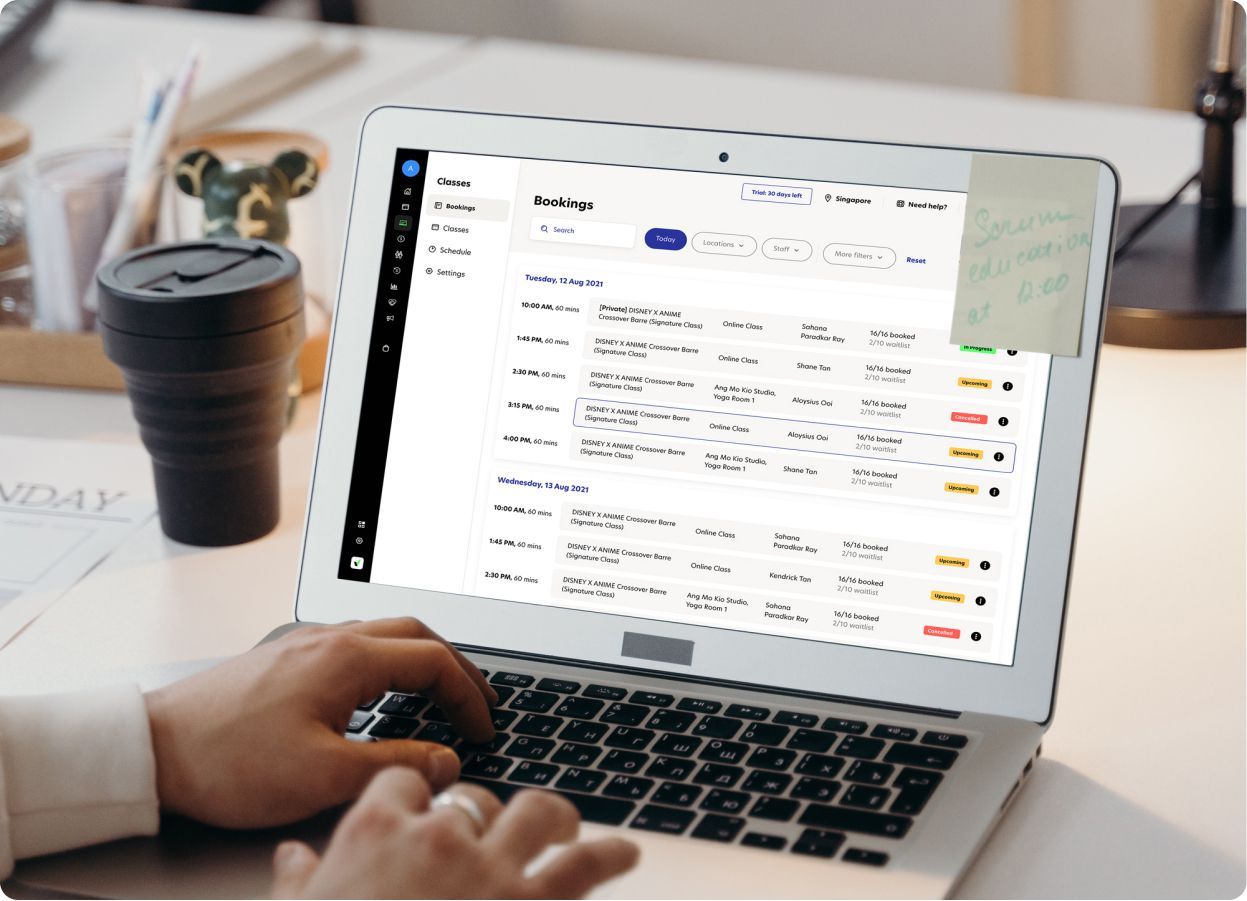
If you’re reading that checklist thinking, “Yep, I need all of that,” that’s exactly the point: Pilates studios don’t need more tools. They need one system that covers the revenue basics end-to-end.
Rezerv includes every point in the checklist above, so you can grow revenue without patching together multiple platforms.
That means you get:
- Truly easy client booking with a clean schedule, quick booking flow, self-serve rescheduling, plus automatic confirmations and reminders
- Memberships + packages that are simple to set up, sell, and track, so clients always know what they have left
- No-show and cancellation controls with policy settings, reminders, and tools that help keep classes full
- Support for multiple revenue streams (not just group classes), including private appointments and programs/events so you can expand without operational chaos
- Practical reporting you can actually use to optimize schedules, pricing, and offers, with downloadable reports for quick review
- Built-in marketing support to help retention, like automated nudges and follow-ups so clients don’t quietly disappear
- Fast customer support so you’re not stuck waiting when you need help running your studio
So instead of choosing software just to “manage bookings,” Rezerv is designed to support the full revenue engine: fill more spots, protect income from cancellations, improve retention, add offers, and keep admin lean.
Cheers,
Friska
FAQs
1) What is Pilates studio software?
Pilates studio software helps you manage bookings, schedules, payments, packages/memberships, client info, reminders, and reports in one platform. It’s designed to reduce admin work while improving the client booking experience.
2) How does Pilates studio software increase revenue?
It improves key revenue drivers: higher class fill rates (easier booking), fewer no-shows (reminders + policies), better retention (memberships + packs), and higher profit (less manual admin and fewer staffing hours).
3) What features should I look for in Pilates studio management software?
Prioritize: online booking, packages and memberships, cancellation/no-show settings, waitlists, automated reminders, classes + appointments support, reporting, and fast customer support. These are the features that most directly impact revenue.
4) Can Pilates scheduling software reduce no-shows and late cancellations?
Yes. The biggest impact usually comes from automated reminders, clear cancellation windows, consistent policy enforcement, and waitlists that help refill spots when someone cancels.
5) Is Pilates booking software worth it for a small studio?
Yes. Small studios feel revenue leaks faster. Software helps you capture bookings outside admin hours, reduce manual follow-up, and keep clients consistent without needing to hire additional staff early.
6) How can software improve Pilates client retention?
It supports recurring memberships, tracks pack usage and expiry, and makes booking easy. Many platforms also help with automated follow-ups for inactive clients, which improves retention without extra admin work.
7) Can studio software support private sessions and workshops too?
A good platform should handle more than group classes. Look for support for private appointments, semi-private sessions, workshops/events, and multiple product types so you can add revenue streams without operational chaos.
8) Does Rezerv include the key features Pilates studios need?
Yes. Rezerv covers the core “revenue checklist” in one platform: online booking, classes + appointments, packages + memberships, cancellation and no-show controls, reminders, reporting, marketing tools, and fast customer support.
9) Can I use Rezerv if I already have a website?
Yes. Many Pilates studios keep their current website and use Rezerv to power the booking and payment flow, so clients can book smoothly while your branding stays the same.
10) What’s the fastest way to increase Pilates studio revenue using software?
Start with the quick wins: enable online booking + payments, turn on automated reminders, set clear cancellation rules, use waitlists, and offer one strong membership option to stabilize monthly revenue.
Read next: Boost your fitness business with smart management software