How to use software data to grow your yoga business (2026 guide)
Learn how to use booking software data to grow your yoga business. Track retention, revenue, attendance, and turn insights into real growth.
Running a yoga studio today is part art, part operations, part finance. You care about the experience in the room. The energy. The instructors. The community. But behind every calm, centered class is a business that needs to make clear, smart decisions.
And too often, those decisions are based on instinct.
You think Tuesday evening is your strongest slot. You assume your intro offer is working. You feel like memberships are growing. But feeling and knowing are not the same thing.
If you’re serious about learning how to use software data to grow your yoga business, the shift is simple: stop managing based on memory, and start managing based on measurable patterns.
Your booking software already tracks what matters:
- Who’s booking
- What they’re buying
- When they stop coming
- Which classes fill up
- Where revenue is actually coming from
- Where money is leaking through cancellations, no-shows, or unpaid invoices
The problem isn’t lack of data. It’s lack of structured review.
Inside Rezerv’s Report Center, for example, studios can access ready-to-use reports across sales, attendance, pricing plans, customers, finance, and operations. That means you can see trends over time, break down revenue by plan or ticket type, and track attendance alongside actual revenue. So, instead of asking, “How are we doing?” you can point to a number.

Source: Freepik
Step 1: Decide what “growth” means for your studio (and pick the right KPIs)
“Grow my studio” can mean ten different things depending on your model.
For one owner, growth means full classes without burning out instructors. For another, it means more recurring membership revenue so cash flow stops feeling like a roller coaster. For multi-location operators, growth often means consistent performance across outlets without relying on one star instructor to carry the numbers.
So before you touch a single report, define growth in one sentence:
In the next 90 days, we want to increase [result] by [amount] without harming [constraint] (like retention, service quality, or profit).
That sentence becomes your filter. Without it, data turns into noise fast.
I. Start with one primary goal and one “guardrail” metric
Pick one primary goal and one guardrail metric to keep your decisions sane.
- Primary goal examples
- Fill more classes (increase utilization)
- Increase recurring revenue (memberships)
- Improve retention (more repeat visits)
- Increase revenue per hour (pricing and product mix)
- Reduce revenue leakage (no-shows, cancellations, unpaid invoices)
- Guardrail examples
- No-show rate (so “full” classes stay truly attended)
- Refund rate (so revenue quality stays healthy)
- Retention rate (so short-term promos do not attract one-time buyers only)
- Revenue per visit (so busier does not automatically mean better)
This is basic business hygiene: capacity, revenue, and customer behavior need to move together.
II. Choose 3 to 5 KPIs that match your goal
A KPI is useful when it tells you what decision to make next. Keep the scoreboard small.
Here are the most practical yoga-studio KPIs, grouped by what they help you do.
A. If your goal is “Fill more classes”:
1. Occupancy rate (utilization)
This measures how much of your available capacity gets booked. In simple terms: are your mats being used? Occupancy rate is a common fitness KPI for understanding how effectively capacity is being used.
Formula: (Booked spots ÷ Total capacity) × 100
2. Class attendance rate
Bookings can look great while attendance is messy. Track attendance so you’re not celebrating phantom revenue.
3. Cancellation rate + no-show rate
These show “schedule leakage.” If your studio has waitlists, every no-show is a missed sale and a bad customer experience.
4. Booking lead time
How early people book tells you demand strength. Long lead time usually means strong demand. Short lead time can mean last-minute behavior or low urgency, depending on your audience.
Decisions these KPIs unlock: schedule changes, class lineup changes, capacity rules, booking cutoffs, and attendance policies.
B. If your goal is “Increase recurring revenue”:
1. Active memberships (count and trend)
Track how many people are paying you monthly, then watch the trend, not just the total.
2. Renewal rate
A renewal rate drop is an early warning signal. Fixing renewal usually beats chasing brand-new leads, especially for studios with limited class inventory. Research highlighted by Bain and discussed in Harvard Business Review links retention improvements with significant profit impact, which is why renewals deserve a permanent spot on your dashboard.
3. Sales by pricing plan
You want to know which products drive predictable revenue: memberships, packs, intro offers, drop-ins, class bundles.
4. Average revenue per customer (ARPU)
This shows how much value a typical customer contributes over a period. It helps you evaluate pricing and packaging decisions without guessing.
Decisions these KPIs unlock: pricing plan redesign, intro offer changes, tier creation, renewal reminders, upsells.
C. If your goal is “Improve retention”:
1. 30/60/90-day retention
Track how many customers come back after their first purchase. This is the heartbeat of studio stability.
2. Visit frequency
How often customers book each month. This is a clean predictor of long-term loyalty because habits compound.
3. Reactivation rate
How many inactive customers you successfully bring back after a targeted message or offer.
Decisions these KPIs unlock: retention campaigns, instructor and class format refinement, customer segmentation, reactivation workflows.
D. If your goal is “Protect cash flow and reduce leakage”:
1. Successful transactions
A simple truth: revenue only counts when payment clears.
2. Unpaid bookings + unpaid invoices + overdue invoices
These are operational leaks. Plugging them can lift revenue without adding a single new class.
3. Refunded and voided transactions
Refund patterns can signal policy issues, payment friction, or expectation gaps.
If you sell memberships or packs upfront, add one more metric:
4. Deferred revenue vs recognized revenue
Deferred revenue generally refers to money collected for services you still owe customers, recognized over time as the service is delivered.
This helps studios understand how much revenue is “already sold” but not yet earned through delivered classes.
Decisions these KPIs unlock: payment rules, follow-up processes, policy clarity, staff workflows, and forecasting.
III. Build a simple review rhythm (so KPIs turn into action)
A KPI is only valuable if it gets reviewed consistently.
- Weekly (15 to 30 minutes): occupancy, attendance, cancellations, no-shows, sales trend
- Monthly (60 minutes): retention, renewals, sales by plan, refunds, unpaid and overdue
Pick a day, put it on repeat, and treat it like payroll. Boring routines create predictable growth.
Rezerv reports to open for Step 1
If you’re using Rezerv, you can map these KPIs directly to reports, then build your weekly and monthly review around them:
- Sales over Time (trend and momentum)
- Attendance with Revenue (attendance tied to money, not vanity)
- Sales by Pricing Plan and Sales by Ticket Type (product mix)
- Class Attendance (performance by class name)
- Cancellation and No Show (leakage)
- Successful transactions, Unpaid invoices, Overdue invoices, Refunded transactions, Voided transactions (cash flow hygiene)
- Activities, Memberships, Packages, Pricing Plan Expiration (retention and renewal signals)
Next, we’ll use these KPIs to make scheduling decisions that fill more mats and increase revenue per time slot.

Step 2: Use class performance data to fix your schedule
Your schedule is your inventory. Every class slot is a product with a fixed shelf life. Once that 6:30pm slot passes, you cannot “sell it later.” That’s why schedule decisions create the fastest growth wins when you use data instead of instinct.
At this stage, your job is simple: figure out which classes earn their spot on the timetable, which ones need a tweak, and which ones should move or go.
I. Start by pulling a clean snapshot of the last 8 to 12 weeks
Use a timeframe long enough to show patterns, short enough to stay relevant. Three months is a strong starting point for most studios because it captures real behavior across multiple weeks, not a one-off spike.
Look at your classes by:
- Class name or format (Vinyasa, Hatha, Sculpt, Yin, Beginner Foundations)
- Day and time
- Capacity and attendance
- Revenue tied to those attendances
You want two truths at the same time:
- What fills up
- What actually makes money
A class can be popular and still underperform financially if it attracts low-value purchases, heavy discounts, or high cancellations.
II. Sort your schedule into three buckets
Do this before you start changing anything. It keeps you focused.
1) Winners
- High attendance most weeks
- Strong revenue per session
- Low cancellations and no-shows
2) Sleepers
- Good attendance sometimes, weak in other weeks
- Often sensitive to timing, naming, instructor, or visibility
- Usually worth fixing before replacing
3) Drains
- Consistently low attendance
- Prime schedule slot with weak revenue return
- High cancellations or no-shows
- Keeps taking up space that could perform better
This classification prevents random schedule changes. You end up running the timetable like a portfolio, not a guessing game.
III. The metrics that explain why a class performs
Attendance alone is not enough. These are the most useful “why” signals.
1. Attendance trend by class and time slot
Look for consistency, not the occasional full class. A class that hits 80 to 90% occupancy regularly is a strong anchor.
2. Attendance with revenue
This shows revenue earned per customer visit. It helps you spot classes that drive better spend per attendee, not just more people.
3. Cancellation rate and no-show rate
A class can look healthy on bookings and still run half-empty in real life. High cancellation and no-show rates usually point to policy issues, weak commitment, or timing friction.
4. Booking lead time
This tells you how early people commit. Strong demand classes get booked earlier. Classes with short lead time often need better positioning, reminders, or a different time slot.
IV. Fix the “sleepers” before you delete them
Most underperforming classes are not broken. They are mismatched. Here are common sleeper scenarios and the fixes that usually work:
1. Problem: The time slot is wrong for the audience
Example: beginner classes placed too late, office-hour crowd classes placed too early.
Fix: test a new slot for 4 weeks. Keep the format the same so you measure timing, not everything at once.
2. Problem: The class is hard to understand at a glance
A confusing class name reduces bookings.
Fix: rename for clarity. Add one line of description focused on the outcome (mobility, strength, stress relief, foundations).
3. Problem: Capacity and demand are misaligned
If a class is always full, your schedule is leaving money on the table.
Fix: add another session, increase capacity if space allows, or open an additional day for that format.
4. Problem: High cancellations and no-shows are hiding true demand
Fix: tighten cancellation rules, require prepayment, add automated reminders, and monitor the change over the next few weeks.
5. Problem: The class attracts low-value purchases
Fix: adjust how you position it. Pair it with a pack or membership push. Promote it as part of a progression plan, not a one-off drop-in.
Rezerv reports to open for this step
If you’re using Rezerv, these reports map directly to schedule decisions:
- Class Attendance (attendance details by class)
- Attendance with Revenue (revenue per customer visit)
- Sales over Time (trend check after schedule changes)
- Cancellation and No Show (leakage that makes classes look healthier than they are)
Once your schedule is shaped by performance data, the next lever is retention. The fastest-growing studios keep customers coming back, not just booking once.

Step 3: Use customer data to improve retention
Retention is where yoga studios quietly win. A full class looks great today. A customer who comes back next week, next month, and renews their plan is what turns “busy” into “stable.”
Customer data helps you answer three practical questions:
- Who is forming a routine?
- Who is drifting out of habit?
- What actions bring people back without bribing them with discounts?
I. Start with the retention signals hiding in plain sight
You do not need complicated dashboards to spot churn risk. You need a few simple indicators you can review consistently.
1) Visit frequency is dropping
A regular who goes from 8 visits a month to 3 is telling you something. It might be schedule mismatch, motivation dip, travel, or a class they loved disappearing from the timetable.
2) “One-and-done” customers
People who buy a drop-in or intro offer and never return are your biggest opportunity. Their first experience might have been fine, but it did not become a habit.
3) Long gaps since last visit
The longer the gap, the harder the return. Your data can sort customers into “recently active,” “at risk,” and “lapsed” so you can message them differently.
4) Plans are about to expire
Expiring memberships and packages are predictable moments. Treat them like a calendar event, not a surprise.
II. Build a simple customer segmentation so you can act fast
Segmentation sounds fancy. It can be simple and still effective. Here’s a clean setup many studios can use:
- New: first purchase in the last 14 days
- Warming up: 2 to 6 visits total, still building a routine
- Regular: consistent visits in the last 30 days
- At-risk: activity dropping, or no visit in 14 to 30 days
- Lapsed: no visit in 30 to 60+ days
- Champions: frequent visitors who often bring friends or try new offerings
Once you segment, your messaging stops being generic. You send the right nudge to the right person at the right time.
III. Use customer data to design a retention system
Retention improves when you treat it as a repeatable workflow. These are the three moments that usually move the needle.
1) The first 14 days: turn interest into routine
Most people who drop off do it early. The fix is not more promotions. The fix is helping them build a simple rhythm.
Data to review:
- First booking date
- Number of visits in the first 2 weeks
- Class types they tried
Actions:
- Send a quick onboarding sequence after their first booking: what to expect, how to book again, what class to try next.
- Offer a clear “next step” based on behavior. Someone who tried Beginner Flow is a different person than someone who jumped into Hot Power on day one.
- Add a milestone message when they hit visit #3 or #5. People like progress when you name it.
2) The 14 to 30-day window: catch people before they disappear
This is where your “at-risk” segment lives.
Data to review:
- Last visit date
- Drop in visit frequency compared to their usual pattern
- Cancellations and no-shows
Actions:
- Send a simple check-in when someone has not booked in 14 days. Keep it helpful, not dramatic.
- Recommend 1 to 2 classes that match their history, plus a time slot they usually attend.
- If cancellations are high, follow up with a policy reminder and an easy reschedule link. Many people do not return because the rebooking step feels like work.
3) Expiration and renewal moments: protect predictable revenue
You already know when packages and memberships end. Your software data makes renewal proactive.
Data to review:
- Expiring packages and memberships
- Last visit date before expiration
- Plan type and usage pattern
Actions:
- Send renewal reminders based on usage behavior, not just a generic “your plan ends soon.”
- For consistent regulars, make renewal one-click.
- For inconsistent customers, recommend a plan that fits their actual routine. Some people churn because they bought a plan that does not match their schedule.
IV. Measure retention with a few clear metrics
Keep it simple and repeatable.
- Returning customer rate (30/60/90 days): how many customers come back after their first purchase
- Average visits per customer per month: habit strength
- Reactivation rate: how many inactive customers return after a targeted message
- Renewal rate: plan continuation
Review monthly. Retention tends to improve through steady tuning, not one big change.
Rezerv reports to open for this step
If you’re using Rezerv, these reports help you pull retention insights without manual list-building:
- Activities (customer engagement and purchase activity)
- Profile (customer join date and basic info)
- Memberships and Packages (plan ownership and usage context)
- Pricing Plan Expiration (who is expiring soon, so you can act early)
- Marketing consent (so you message the right people compliantly)
Once retention is stronger, pricing and product mix become your next growth lever. You can raise revenue without squeezing your schedule harder.

Step 4: Use sales and pricing data to increase revenue
Scheduling fills mats. Pricing turns those mats into predictable revenue.
Your studio sells a time-based product. A 6:30pm spot that goes empty is gone forever, same as an airline seat after takeoff. That is why service businesses use revenue management, which is basically demand plus pricing plus availability decisions aimed at maximizing revenue.
Sales and pricing data helps you answer the questions that actually matter:
- What do customers buy most often?
- What do they buy that is most profitable and repeatable?
- Which offers create loyal members, and which ones create one-time bargain hunters?
I. Start with your revenue mix, not your total revenue
Total revenue can rise while your business gets weaker, like when you sell more discounted drop-ins but lose members. Look at revenue as a mix of products:
- Drop-ins
- Class packs
- Memberships
- Courses and workshops
- Appointments or privates (if you offer them)
Your goal is not to push everyone into one product. Your goal is to build a mix that matches real behavior. Some customers want unlimited. Some want 4x a month. Some only buy packs because their schedule changes weekly.
What to check
- Revenue by pricing plan
- Revenue by ticket type
- Revenue trend over time
What to do with it
- Double down on the plans that drive repeat purchases and steady attendance.
- Fix or remove plans that sell but do not lead to repeat visits.
II. Track revenue per visit, not only attendance
A packed room looks great, but sales data tells you the quality of that attendance.
Two classes can have the same headcount and produce very different revenue depending on:
- Who attends (members vs drop-ins)
- What they pay (full price vs discounted)
- How often they return
Use revenue per visit to see which classes bring the strongest business outcome. This metric is also useful when you are deciding which classes earn prime time slots.
What to check
- Attendance with revenue
- Sales by ticket type
- Refund and void patterns tied to specific products
Action examples
- If evening classes are full but revenue per visit is low, improve your product mix: promote a membership tier designed for evening regulars, not another discount.
- If off-peak classes have low attendance but high revenue per visit, test a small schedule tweak or a targeted promo to lift volume.
III. Audit your intro offer like a funnel, not a promotion
Intro offers should do one job: convert new people into repeat customers.
So your main question is not “Did the intro offer sell?” It is:
- How many people booked a second class?
- How many joined a pack or membership within 30 days?
If the offer attracts a lot of first timers but few return, your studio is paying for churn. The fix is often the follow-up and the next-step product, not a deeper discount.
What to check
- Sales by ticket type for your intro offer
- Customer activity after first purchase
- Conversion to packs or memberships within 14 to 30 days
Action examples
- Add a clear next step: “After your intro pass, most students choose X plan based on how often they practice.”
- Build an easy bridge product: a small pack or a 4-class monthly membership that feels like the natural continuation.
IV. Use discount data carefully, discounts train behavior fast
Discounting can lift sales short term, then quietly lower perceived value if it becomes frequent or deep. Research on price promotions and deep discounting shows consumers can perceive quality differences as less pronounced, which can erode brand value.
This does not mean you should never run promos. It means you should treat discounts like a controlled tool, with rules.
What to check
- Discounted sales share by product
- Refund rates and void rates during promo periods
- Repeat purchase rate from promo buyers
Cleaner alternatives to constant discounting
- Off-peak packs that fill underused time slots
- Member perks that reward consistency
- Limited bonuses that protect price integrity, like “Buy a 10-pack, get 1 class added”
V. Use customer value thinking to guide pricing decisions
A single purchase can be misleading. A customer who stays for 10 months is worth more than someone who buys a pack once. That is the idea behind customer lifetime value (CLV), which measures the total value a customer brings over the entire relationship.
You do not need a complex model to use this. A simple estimate is enough:
Average monthly spend per active customer × average months they stay active
When you look at pricing through that lens, you stop optimizing for the first sale and start optimizing for retention and consistency.
Rezerv reports to open for this step
If you’re using Rezerv, these reports map directly to revenue and pricing decisions:
- Sales by Pricing Plan (what plans actually drive revenue)
- Sales by Ticket Type (which tickets sell and how they behave)
- Sales over Time (trend after pricing changes)
- Daily transactions and Successful transactions (cash coming in, cleanly)
- Refunded transactions and Voided transactions (quality control signals)
- Unpaid invoices and Overdue invoices (revenue leakage)

Step 5: Plug operational leaks before you spend more on marketing
Operational leaks are the small, repeatable problems that quietly mess with your numbers. Your schedule looks full, but the room is half-empty. Your sales report looks healthy, but cash collection is lagging. Over time, these gaps turn into stress: unpredictable revenue, messy forecasting, and constant pressure to “do more” just to stay even.
Treat this step like basic studio maintenance. The goal is cleaner attendance, cleaner payments, and fewer surprises. When those are stable, every other growth decision gets easier to evaluate because your baseline is reliable.
Most operational leaks fall into two buckets:
- Capacity leaks: spots you expected to be attended, but get lost to late cancellations and no-shows
- Cash leaks: revenue you expected to collect, but gets stuck in unpaid bookings, overdue invoices, payment failures, refunds, or voids
Fix these first, then review your numbers again. You’ll often find your studio was performing better than you thought, it was just leaking.
Leak #1: No-shows and late cancellations (the invisible capacity killer)
No-shows are a real, measurable problem across appointment-based businesses. In healthcare settings, studies commonly report no-show rates in the teens to around 20% depending on context, which is enough to wreck capacity planning and revenue expectations.
For a yoga studio, you do not need perfect attendance to feel the impact. Even a small pattern compounds fast.
Example: if you average 2 no-shows per class, and your average revenue per visit is $15, that’s $30 lost per class. At 25 classes per week, that’s $750 per week, or roughly $3,000 per month in lost realized revenue.
What to track
- No-show rate by class and time slot
- Late cancellation rate by class and time slot
- Repeat offenders (same customers, same pattern)
What to fix
- Require prepayment for high-demand slots and peak hours.
- Tighten the cancellation window for classes that regularly “sell out” but run half-empty.
- Add automated reminders (a simple reminder can reduce forgetfulness-driven no-shows).
- Use waitlists smartly so canceled spots can be resold quickly.
A no-show fee can also influence behavior in some industries. Medical group data has shown stronger improvement in no-show rates among practices that charge a no-show fee compared to those that do not, though results vary by context.
For studios, the cleaner move is often prepayment plus a clear cancellation policy, then applying fees only when patterns persist.
Leak #2: Payment friction and abandoned checkouts (the revenue you never even see)
Sometimes the customer wants to book, but checkout friction kills the sale. Baymard’s research highlights how checkout complexity contributes to abandonment, including shoppers leaving when checkout feels too long or complicated.
In studio terms, friction often looks like:
- Too many steps to pay
- Limited payment options for your local market
- Confusing pricing, unclear tax or fees
- Slow or buggy checkout on mobile
What to track
- Drop-off at payment (attempted booking that never turns into a successful transaction)
- Payment method performance (which methods fail more often)
- Failed payment attempts
What to fix
- Offer payment methods your customers actually use.
- Keep pricing clear at the point of purchase.
- Reduce steps in checkout where possible.
Leak #3: Failed payments and involuntary churn (customers who did not mean to leave)
Payment failures are not rare. One payment industry analysis reported credit cards can have a meaningful failure rate (their cited average was 7.9%), which can push customers into “involuntary churn” when renewals fail.
For studios selling memberships or recurring plans, this shows up as:
- Members suddenly losing access
- “I didn’t cancel” messages
- Quiet churn that looks like a retention problem, but is really a billing problem
What to track
- Failed payments on recurring plans
- Overdue invoices
- Expired plans tied to payment issues, not intent
What to fix
- Use dunning-style follow-ups (retry reminders + payment update prompts).
- Give customers an easy path to update their payment method.
- Flag at-risk renewals before access is disrupted.
Leak #4: Refunds, voids, and messy back office habits
Refunds and voids are not always bad, but patterns matter. A spike can signal unclear policies, mismatched expectations, or staff workarounds that create accounting chaos.
What to track
- Refund rate by product type (drop-in vs packs vs memberships)
- Voided transactions frequency
- Refund reasons (if you capture them)
What to fix
- Make policies easy to find at checkout.
- Standardize staff workflows for exceptions.
- Review any product that generates frequent refunds and adjust the offer, terms, or class rules.
Rezerv reports to open for this step
If you’re using Rezerv, these reports map directly to the leaks above:
- Cancellation and No Show (attendance leakage)
- Paid Bookings and Unpaid Bookings (booking-to-payment gaps)
- Unpaid invoices and Overdue invoices (cash flow leakage)
- Successful transactions (what actually cleared)
- Refunded transactions and Voided transactions (quality control signals)
Plugging leaks changes your marketing math. When attendance is real and payments are clean, every new lead is worth more, and growth becomes easier to sustain at the same class capacity.

Step 6: Build a simple data routine
Data only works if you actually look at it. A great dashboard that no one reviews is just decoration.
Most studio owners do not struggle with access to numbers. They struggle with consistency. Reports get checked randomly. Decisions happen reactively. Weeks pass before someone notices a dip in attendance or a spike in cancellations.
Growth improves when data review becomes a habit, not an emergency response.
The solution is simple: build a light, repeatable rhythm. And if you’re using Rezerv, this routine is easier to maintain because the reports are already organized by category and built for quick review.
1. Weekly: 20 to 30 minutes of operational clarity
Block a fixed time every week. Treat it like payroll or instructor scheduling. No skipping.
Focus on short-term signals:
Class attendance trends
Are any classes trending down for two weeks in a row? Are any consistently full?
Cancellations and no-shows
Is one time slot leaking more than others?
Sales trend
Is weekly revenue steady, rising, or dipping compared to the previous weeks?
You are not solving everything in this session. You are spotting patterns early. Small weekly adjustments prevent big quarterly problems.
If you use Rezerv, this review can center around:
- Class Attendance
- Attendance with Revenue
- Cancellation
- No Show
- Sales over Time
Keep notes. Even three bullet points like:
- “Tuesday 7pm down 15% vs last month”
- “No-shows rising for Saturday morning”
- “Intro sales steady, membership conversions flat”
That written record becomes powerful over time.
2. Monthly: 60 minutes of strategic review
Once a month, zoom out. This is where growth decisions happen.
Review:
Revenue mix
Sales by pricing plan and ticket type. Are memberships growing? Are drop-ins dominating?
Retention signals
Visit frequency trends. Expiring plans. Reactivation results.
Cash hygiene
Unpaid invoices, overdue invoices, refund patterns.
Top 3 and bottom 3 classes
Based on attendance plus revenue per session.
Then make exactly three decisions for the next month. Not ten. Three.
Examples:
- Replace one underperforming time slot.
- Adjust one pricing plan.
- Launch one reactivation push for inactive customers.
- Tighten one cancellation rule.
This keeps the studio moving forward without overwhelming your team.
In Rezerv, this monthly session usually pulls from:
- Sales by Pricing Plan
- Sales by Ticket Type
- Activities
- Memberships
- Pricing Plan Expiration
- Unpaid invoices
- Refunded transactions
3. Quarterly: capacity and positioning check
Every three months, step back and ask bigger questions:
- Are your peak hours aligned with demand?
- Is your pricing structure still logical?
- Are instructors distributed based on performance data?
- Is revenue per available time slot improving?
Quarterly reviews are where you redesign parts of the system. Weekly and monthly reviews are where you maintain it.
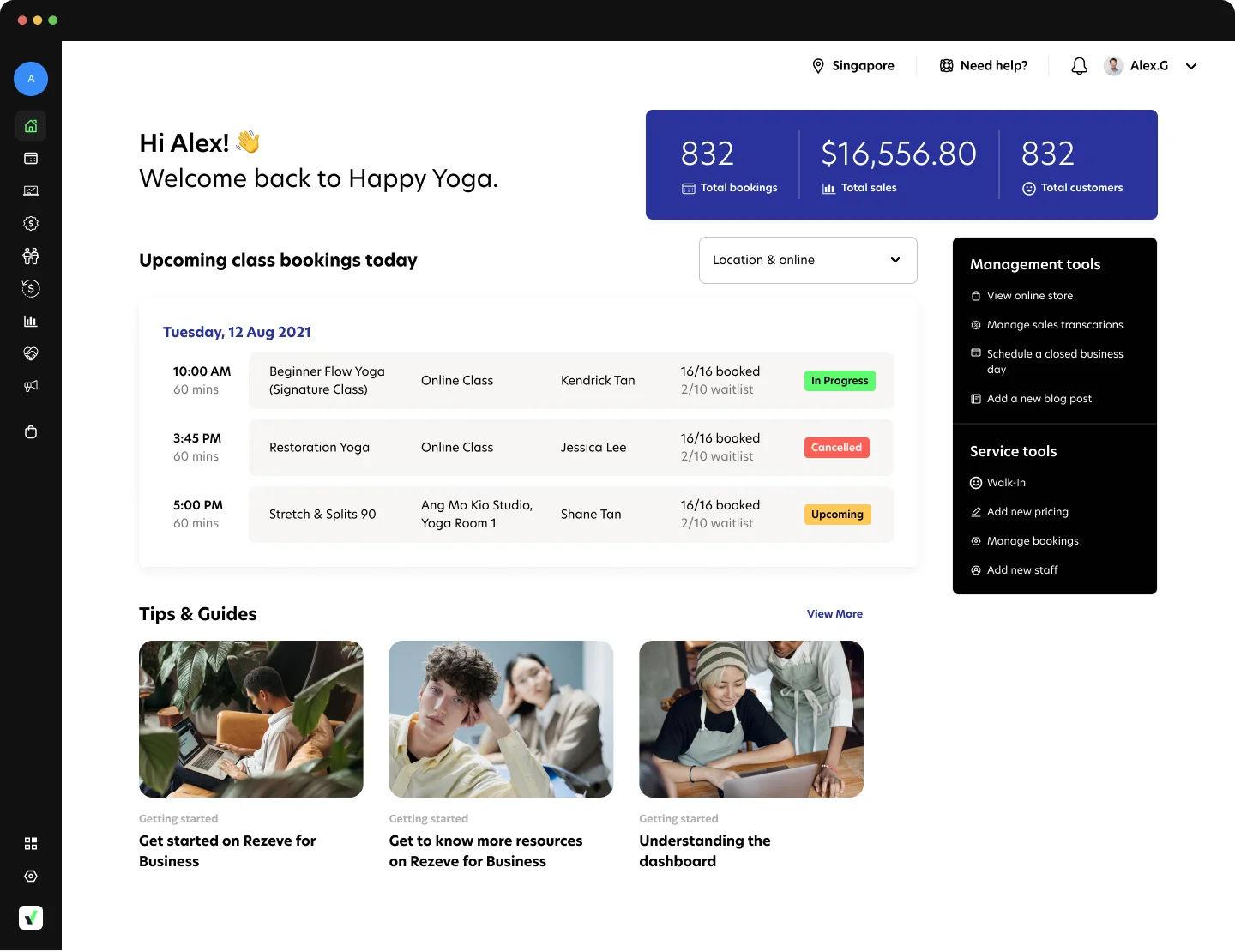
What to look for in booking software if you want data that actually helps you grow
Not all booking software is built for growth. Some tools are designed mainly to take bookings and process payments. That is useful, but it does not automatically give you clarity. If your goal is to use software data to grow your yoga business, you need more than a calendar and a checkout button.
You need data that leads to decisions.
Here’s what separates a basic booking system from one that actively supports growth.
1) Reports that are ready to use, not just raw exports
If you have to export CSV files every week and build your own spreadsheet just to understand attendance or revenue trends, the system is slowing you down.
Look for:
- Clear dashboards organized by category (Sales, Classes, Customers, Finance)
- Trend views over time, not just daily snapshots
- Reports that tie attendance to revenue, not just headcount
The goal is simple: open one report and immediately see what needs attention.
2) Sales breakdown by pricing plan and ticket type
Revenue totals are not enough. You need to know:
- Which pricing plans drive consistent income
- Which ticket types sell but do not convert into repeat customers
- How discounts affect your overall revenue mix
Software that allows you to see revenue by pricing plan and ticket type gives you the ability to refine your product structure without guessing. That is where small pricing adjustments turn into meaningful gains.
3) Customer activity tracking that goes beyond contact details
A list of names and emails does not improve retention. Behavioral data does.
Strong booking software should show:
- Last visit date
- Visit frequency
- Purchase history
- Expiring packages and memberships
- Segmentation by activity level
This allows you to spot customers who are forming habits, slowing down, or about to churn. Without that visibility, retention becomes reactive.
4) Operational visibility: unpaid, overdue, refunded, and voided transactions
Revenue growth is not only about selling more. It is also about collecting what you already sold.
Your software should clearly surface:
- Unpaid bookings
- Overdue invoices
- Failed or voided transactions
- Refunded transactions
If these are buried or difficult to access, small leaks will quietly distort your performance. Clear operational reporting protects cash flow and keeps your financial picture honest.
5) The ability to filter by class, time slot, and location
If you operate multiple formats or multiple outlets, filtering matters.
You should be able to:
- Compare performance by class name
- Compare revenue and attendance by time slot
- Filter reports by location
This lets you identify patterns instead of relying on memory. Growth becomes scalable because you can replicate what works across formats or outlets. Owners running multiple studios often extend that same location-level view beyond their booking data, using a SERP scraper API to check how each branch ranks in local searches across different neighborhoods.
6) Time-range flexibility for trend analysis
A single week can mislead you. Seasonality, holidays, and short-term campaigns can distort short views.
Look for software that allows:
- 3-month comparisons
- 6 to 12-month trend views
- Clear visibility of both recognized and deferred revenue if you sell packs and memberships
Trend visibility is what turns short-term fluctuations into long-term strategy.
7) Clean user experience and accessible support
Data only helps if you can access it quickly and understand it. If reports are slow, confusing, or buried in layers of menus, most studio owners will stop checking them.
Support matters too. When you have a question about a report, you should be able to get help quickly. A fast clarification can prevent a wrong decision.
Why Rezerv is built for data-driven fitness business owners
If you run your studio based on numbers, not assumptions, your booking software has to keep up.
Rezerv’s Report Dashboard is structured around how fitness businesses actually operate. Reports are organized across Sales, Classes, Customers, Pricing Plans, Finance, and Operations, so you can move from high-level trends to specific details without jumping between tools or exporting files.
You can:
- See attendance tied directly to revenue, not just headcount
- Break down sales by pricing plan and ticket type
- Track expiring memberships and packages before they churn
- Monitor unpaid bookings, overdue invoices, refunds, and voided transactions
- Filter performance by class, time slot, or outlet
That structure supports the weekly and monthly data routine discussed earlier. You spend your time deciding what to adjust, not cleaning spreadsheets.
Rezerv is also preparing more comprehensive reporting capabilities, including AI-powered insights. The goal is not to overwhelm you with more charts. It is to surface patterns automatically, highlight anomalies, and suggest areas that need attention. Instead of manually scanning reports to find problems, the system will help flag them.
For data-dependent fitness business owners, this matters. Growth decisions become faster, cleaner, and less emotional. You see what is working, what is leaking, and where to act next.
Cheers,
Friska 🐨
FAQs
1. What metrics matter most for yoga studios?
Track class occupancy, attendance vs no-shows, revenue per class/time slot, sales by pricing plan, visit frequency, and 30/60/90-day retention. These tell you if your schedule, pricing, and retention are working.
2. How often should I review my studio data?
Do a weekly check (attendance, cancellations/no-shows, sales trend) and a monthly review (retention, expiring plans, sales mix, unpaid/overdue). Consistency matters more than long sessions.
3. Can data help reduce member churn?
Yes. Data helps you spot early drop-off signals like declining visit frequency, long gaps since last visit, and upcoming plan expirations, so you can follow up before customers disappear.
4. How do I know if my pricing is working?
Look at sales by plan/ticket type, repeat purchase rate, revenue per visit, and renewal rate. If revenue is rising but renewals and repeat visits are falling, pricing is likely attracting the wrong behavior.
5. How to use software data to grow your yoga business?
Use reports to improve four areas: schedule performance, retention, pricing mix, and operational leaks (no-shows, unpaid invoices). Then review weekly and adjust one thing at a time.
6. How do I increase yoga class attendance using booking software data?
Check which classes have strong demand, which time slots underperform, and where cancellations/no-shows spike. Then adjust class timing, format, capacity rules, and reminders based on the pattern.
7. Can booking software data help me sell more memberships?
Yes. Use data to identify frequent drop-in buyers, track which intro offers convert, and target customers whose packages or memberships are close to expiring with renewal prompts.
8. Is software necessary for small yoga studios?
If you only run a few classes a week, spreadsheets can work short term. But software becomes valuable once you want clear reporting, repeatable retention follow-ups, and less manual admin as you grow.